Smart management of regulatory work, suppliers and third parties
You ask. Owlen answers.
Owlen centralizes regulatory documents, suppliers and field activities, analyzes everything with AI and turns it into action: pending items, alerts and answers with the source cited.
Regulatory documents, suppliers and field activities usually live in different places. Owlen brings them together, cross-checks the information and shows what needs action.
Owlen AI
Regulatory documents
Standards, procedures, licenses and policies in a single base, searchable by AI with the source cited.
Regulations, ISO, procedures and internal policies
Work permits, lockout/tagout (LOTO) and PPE in a digital environment, with a record of who authorized and who executed.
Work permits
LOTO and PPE control
Evidence for audits and inspections
How Owlen works the information
1
Centralizes
Documents, supplier data and field records arrive through connectors, the portal and the app.
2
Analyzes
AI reads, indexes and cross-checks the information, and answers questions showing the source.
3
Acts
Whatever needs attention becomes a pending item, alert or action, with an owner and deadline.
All on the same users, permissions and connectors managed in Owlen Administration.See administration
Owlen AI · Regulatory documents
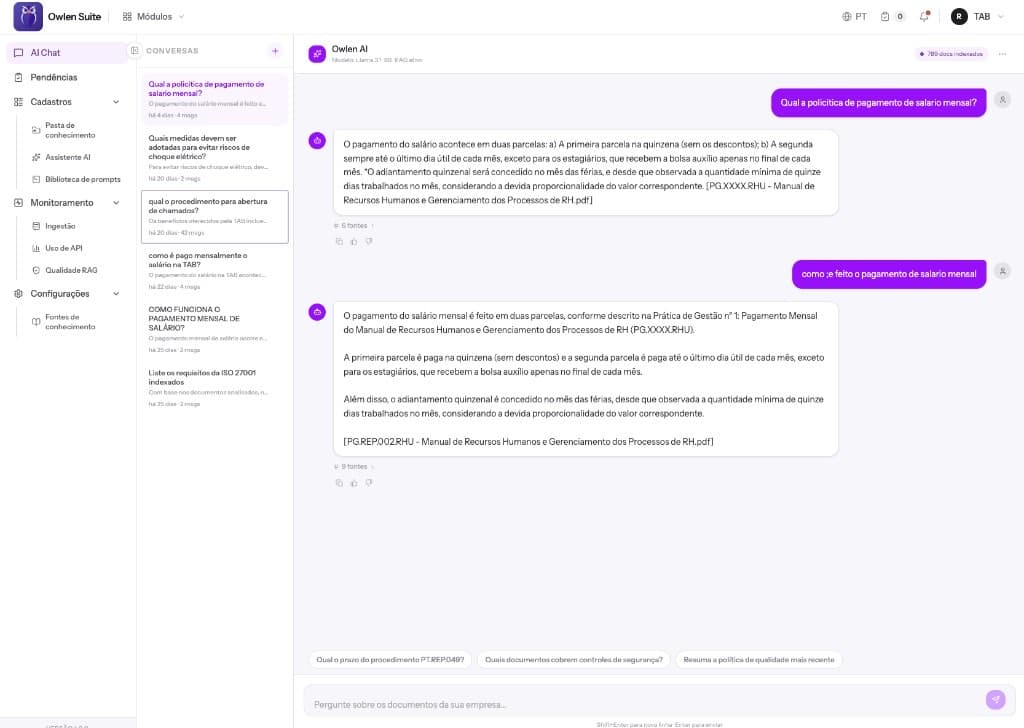
Ask your regulatory base and get the answer with its source
Instead of hunting for the right standard or procedure, ask. Owlen searches the indexed documents, answers in natural language and shows where the answer came from.
Centralize
Manuals, procedures, policies and standards from many sources in a single searchable base.
Talk to your documents
Natural-language questions and answers that cite the source document, so you can check in one click.
Security rules
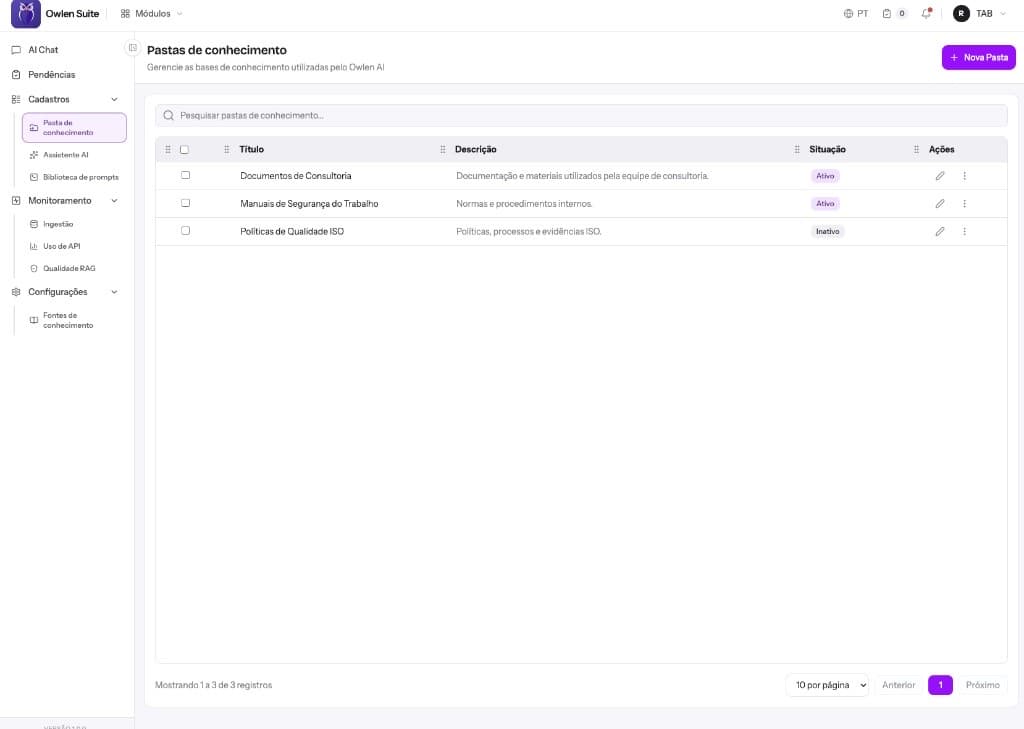
Each knowledge folder has its owners and permissions. People without access to a document don't get answers based on it.
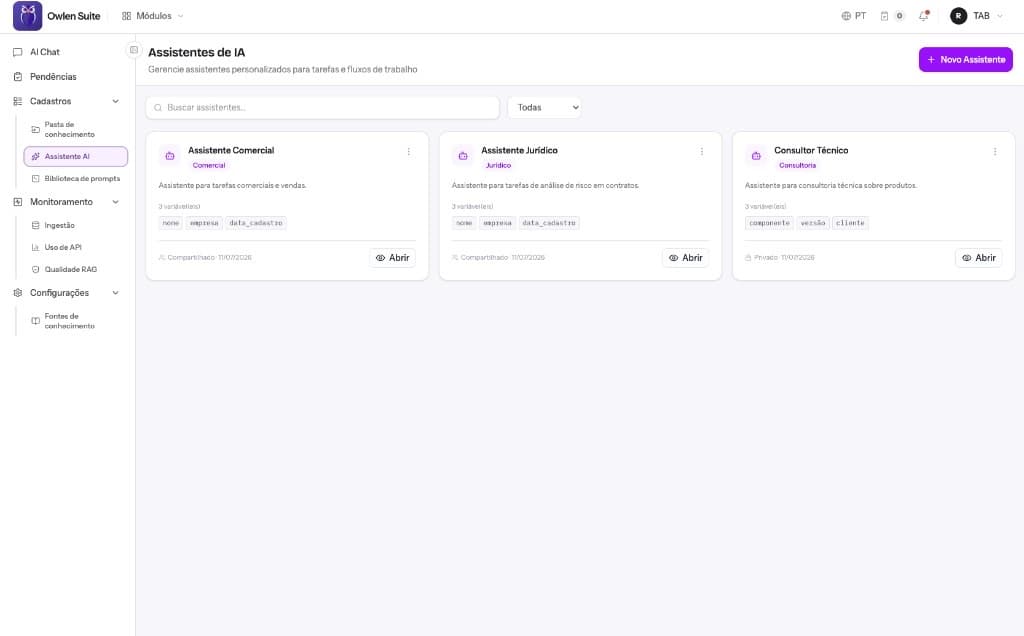
Specialist assistants
Create assistants for legal, sales, quality or technical consulting, each with its own context and instructions.
Owlen AI
Safety Assistant · RAG
Which PPE is mandatory for work at height?
Full-body harness, double lanyard with energy absorber, helmet with chin strap and safety footwear. The work permit must be issued before the task starts.
PT.SEG.012 – Work at Height (NR-35).pdf
4 sources
Ask about your company's documents...
Owlen AI features
How the knowledge base is built
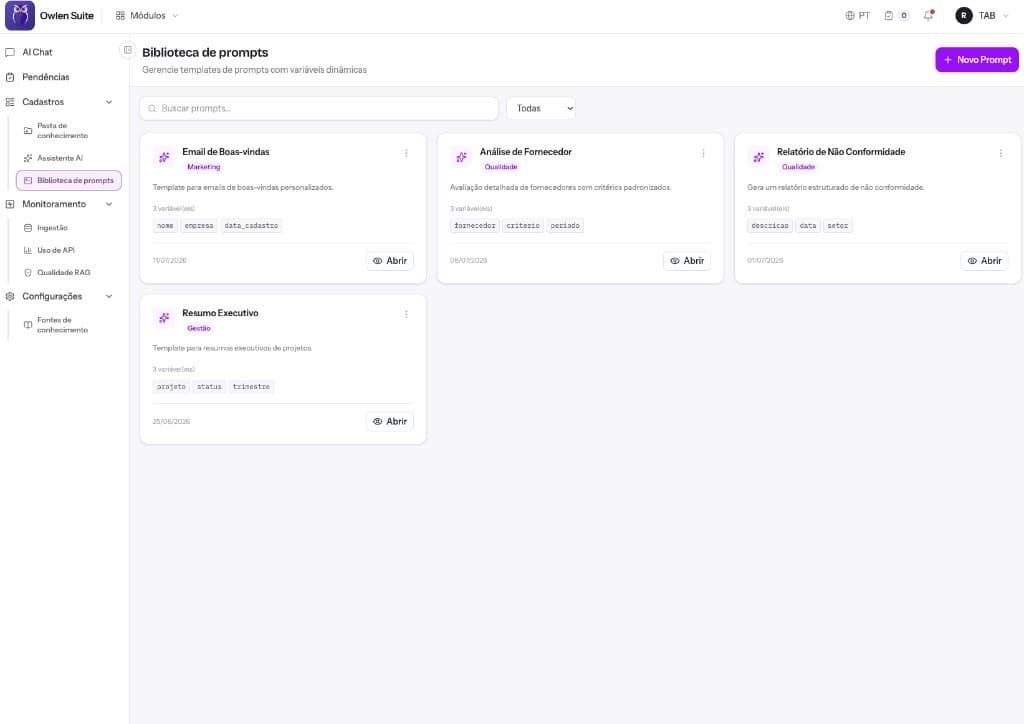
Four pieces that keep AI useful and under control: where documents live, who answers, with which instructions and how everything is processed.
Variables such as supplier, period, department and date
Organized by category
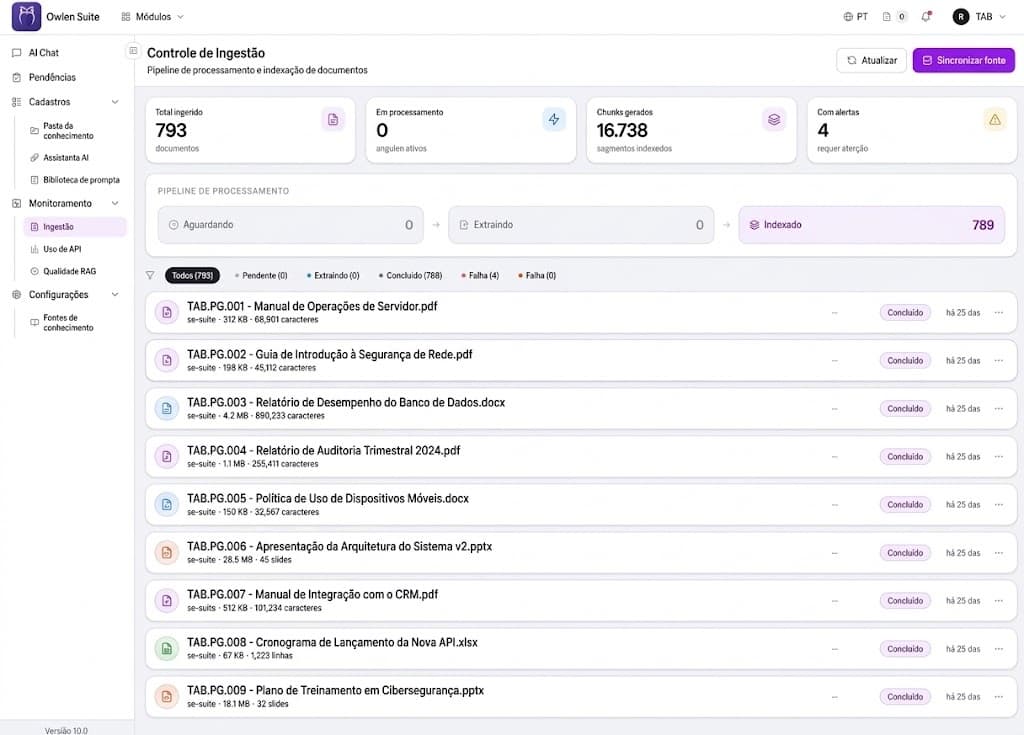
Owlen Suite · Document ingestion
04
Document ingestion
Follow the pipeline that turns files into knowledge: waiting, extracting and indexed. Documents with problems show up as alerts.
PDF, Word, PowerPoint and Excel
Sync with the source, such as SoftExpert Suite
Total ingested, indexed segments and alerts
Owlen Supplier · Third-party management
Suppliers and contractors organized, from registration to ranking
Third-party registration, documents, evaluations and pending items in one place. Suppliers submit through the portal, your team reviews against clear rules, and audits find the evidence ready.
Where third-party management usually gets stuck
01Supplier records and documents scattered across e-mails and folders
02Repeated follow-ups to complete information and pending items
03Document expiry tracked in spreadsheets
04Manual gathering when the audit asks for evidence
Structure and rules
Define once what to require from each third party
Your company sets the rules, and Owlen applies them to every supplier that fits.
Category tree
Third parties classified in levels, such as Logistics › Road Transport › Refrigerated Cargo. The category defines required documents and filters the register and the ranking.
Asset and service types
Also control what suppliers bring into your operation, such as employees, vehicles and calibrated instruments, and the services they provide. Each type has attributes, an approval route and requirements.
Required documents
For each type, the documents required: mandatory or complementary, with expiry control and one or several files. E.g. a work-at-height (NR-35) certificate.
Evaluation models
Initial and recurring evaluations with your company's questions and results by band or score. Results feed the ranking.
Day-to-day operation
What your team sees and does every day
A single view of who your third parties are, what is pending and who is best rated.
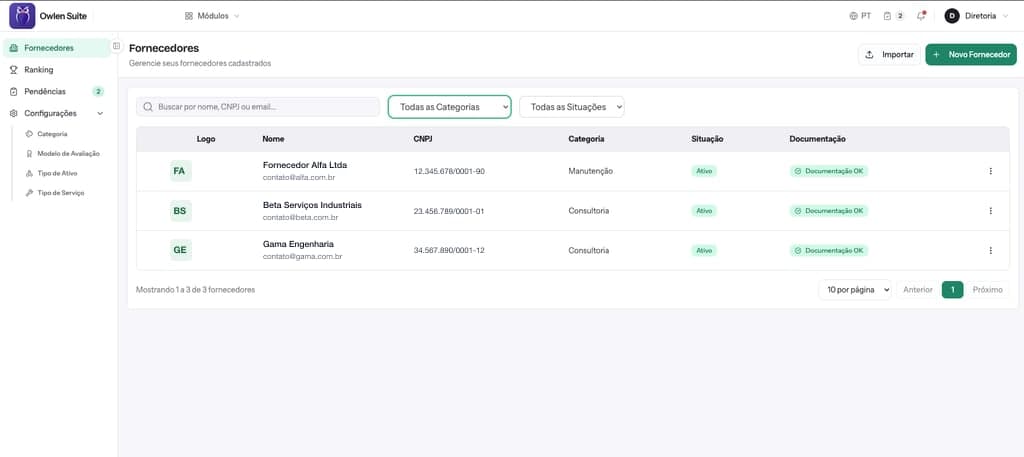
Owlen Suite · Suppliers
01
Single register of suppliers and contractors
Every third party in one list, with category, status and documentation status. Each record brings together data, services, assets, portal users, compliance and evaluations.
Search by name, tax ID or e-mail
Filters by category and status
Import of your existing base
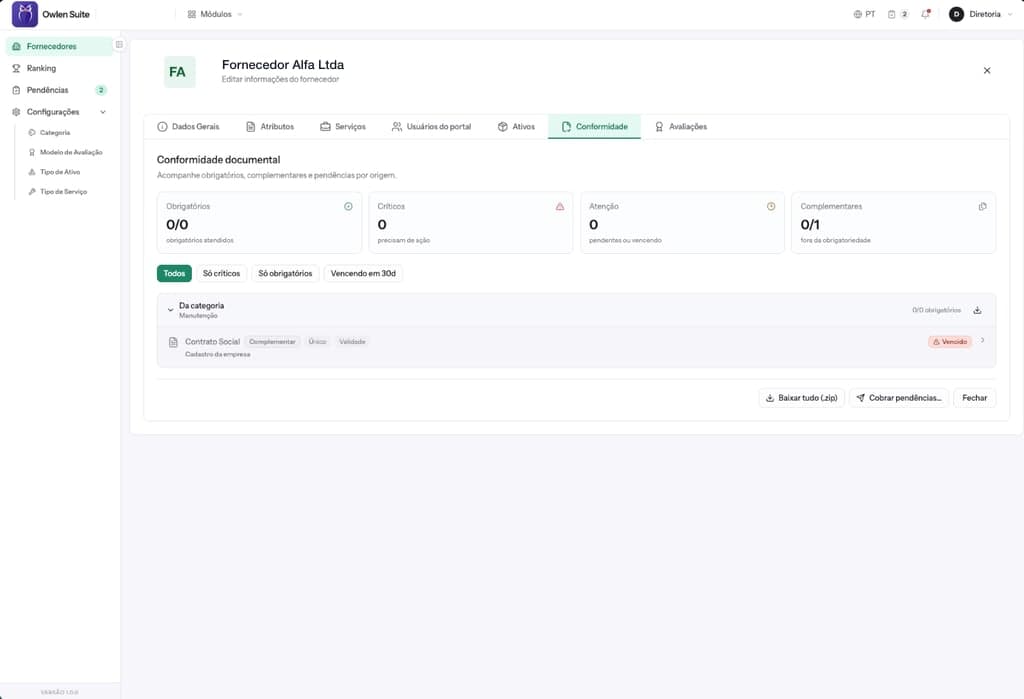
Owlen Suite · Compliance
02
Document compliance per supplier
Mandatory, critical, attention and complementary items in one panel, with documents grouped by origin, expiry and status.
Filters by criticality and expiry within 30 days
Download all documents as .zip
Request pending items directly from the supplier
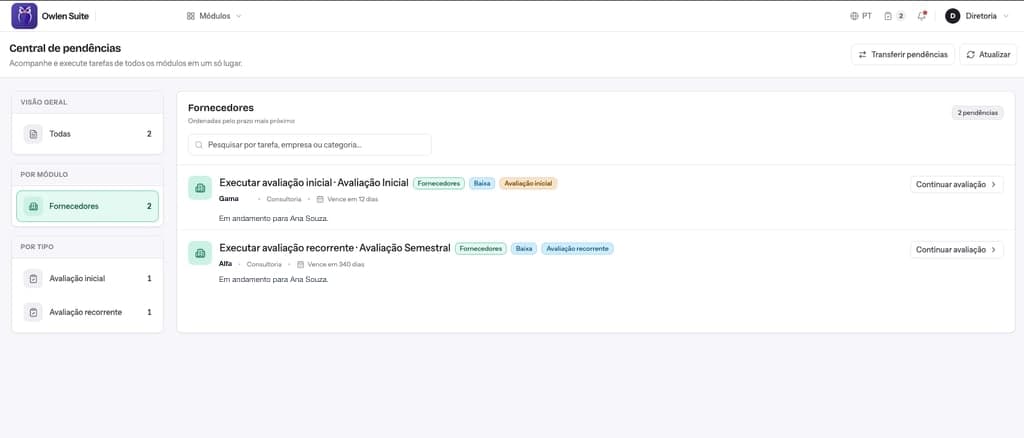
Owlen Suite · Task center
03
Task center
Tasks from every module in one place, sorted by the nearest due date, such as initial and recurring evaluations.
Owner and due date on every task
Filters by module and type
Transfer tasks between owners
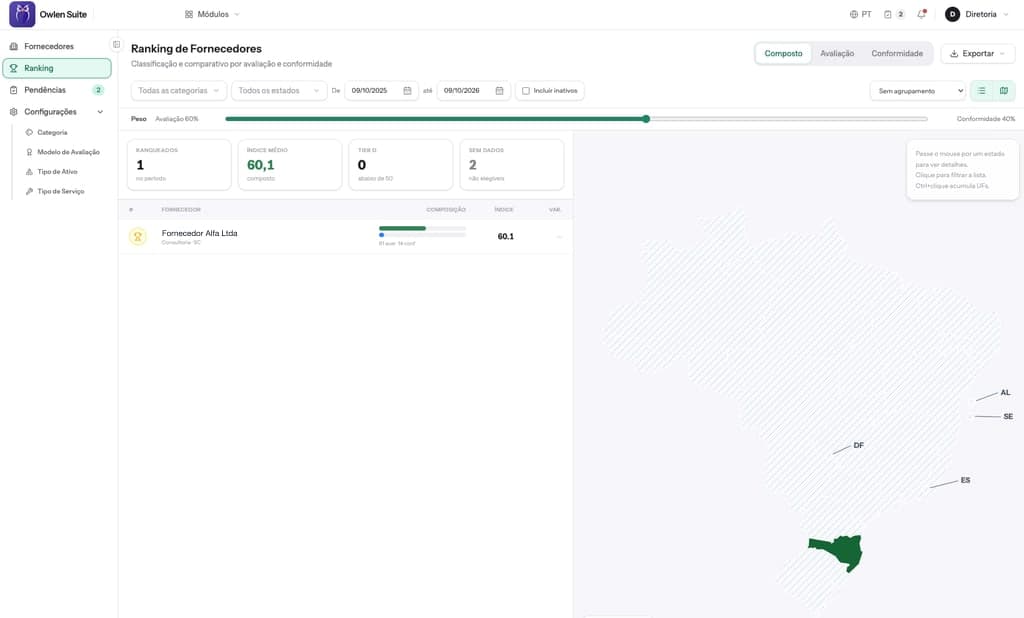
Owlen Suite · Ranking
04
Supplier ranking
A ranking that combines evaluation and document compliance, with the weight of each criterion set by your company.
Adjustable weight between evaluation and compliance
Filters by category, state and period
List or map view, with export
SoftExpert integration
Works on its own or alongside SoftExpert
Owlen Supplier has a standard integration with SoftExpert. With SE Document, supplier documents go to expiry, review and approval control, and the status comes back to Owlen.
Submit documents and track pending items and status in the Owlen portal.
2
Owlen Supplier
Centralizes third-party data, tasks and notifications.
3
SoftExpert SE Document
Controls expiry, review and approval, with records and status in sync.
The integration scope is defined in the project, according to the contracted plan.
Owlen Administration
Governance for the whole suite in one place
Users, teams, access groups and authentication apply to every module. Connectors bring the documents in, and channels take Owlen to where people already work.
Users, teams and attributes
One directory for the whole suite, with pending-item handover when someone changes roles.
Authentication and access groups
Username and password or SAML login, with permissions organized by group.
Privacy and terms
Data privacy settings, custom terms and the organization's email templates.
Monitoring
Active sessions and outgoing emails tracked by the administrator.
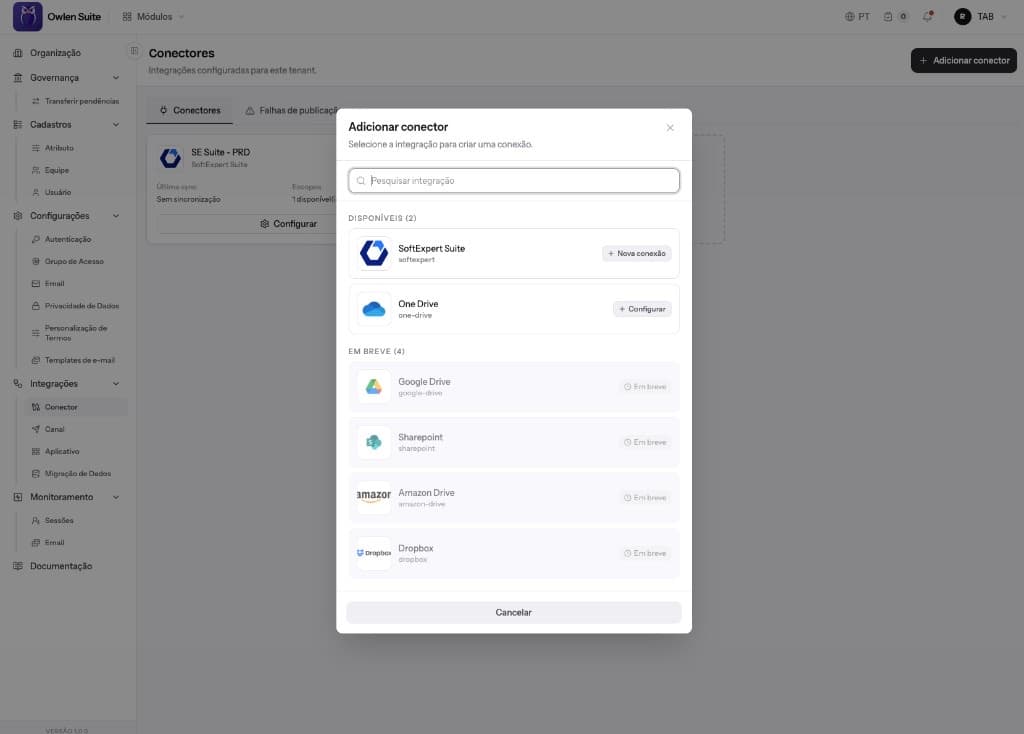
Connectors
Connect Owlen to the sources where your documents already live. Syncing keeps the base up to date with no manual uploads.
SoftExpert SuiteAvailable
OneDriveAvailable
SharePointComing soon
Google DriveComing soon
Amazon DriveComing soon
DropboxComing soon
Owlen Suite · Connectors
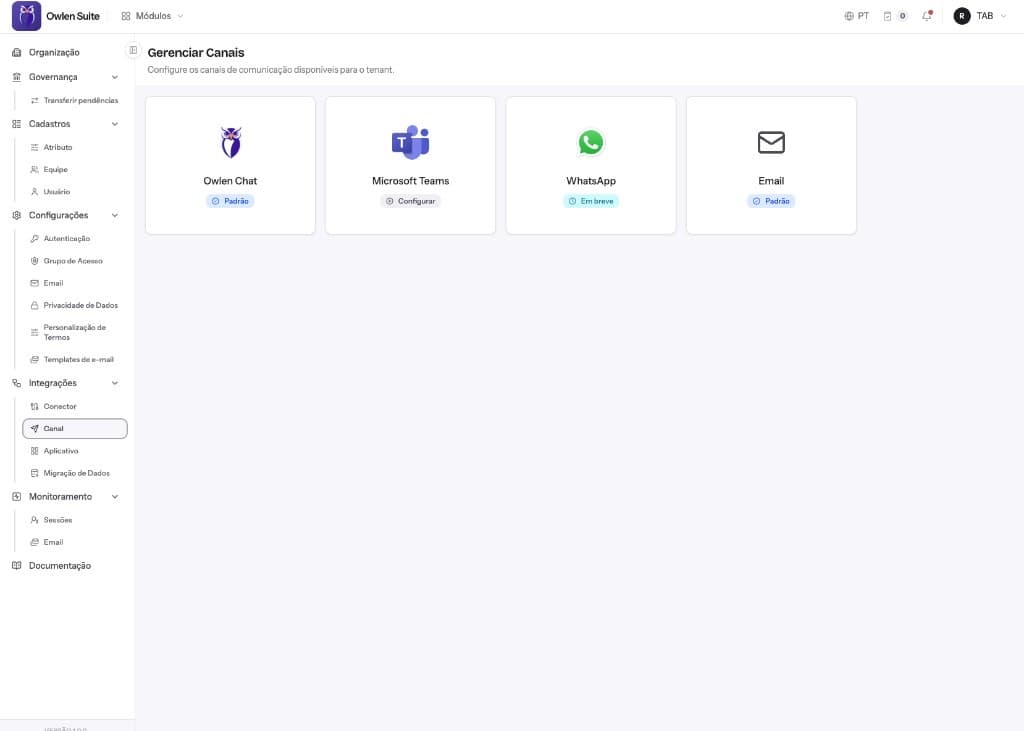
Channels
Where people can ask Owlen: in its own chat, in Microsoft Teams or by email. WhatsApp is on the way.
Owlen Chat
Owlen Suite web chat.
Default
Microsoft Teams
Ask right inside Teams.
Available
Email
Notifications and answers by email.
Default
WhatsApp
Ask from your phone.
Coming soon
Owlen Suite · Channels
Contact
Let Owlen take care of regulatory work, third parties and input traceability
Tell us how your regulatory documents, suppliers and field activities are handled today. We'll prepare a demo with your scenario.