
Inspections
Equipment, assets, safety, maintenance, and operational routines.
TAB · think about business
Integration
A complete flow — execution, synchronization, and treatments
Field capture
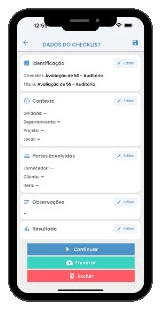
Your team records checklists online or offline in SmartApps Checklist — without losing pace, even without a connection.
Instant handoff
The treatment team is notified immediately and receives the activity ready in SoftExpert.
Governed integration
The integration opens the instance, organizes answers and evidence into grids, triggers NCs, emails, and attached reports — with end-to-end traceability.
Treatment with impact
In SoftExpert, treatment moves forward with Root Cause Analysis and an Action Plan — from field to decision in one flow.
How it works
From field capture to governance and treatments in SoftExpert — no rework, with end-to-end traceability.
01
Field teams execute the checklist in Smart apps. Answers and evidence are queued and synced with SoftExpert, with visible retries and status.
02
In SoftExpert, the SmartApp Checklist portal consolidates record KPIs and the list of synced checklists.
03
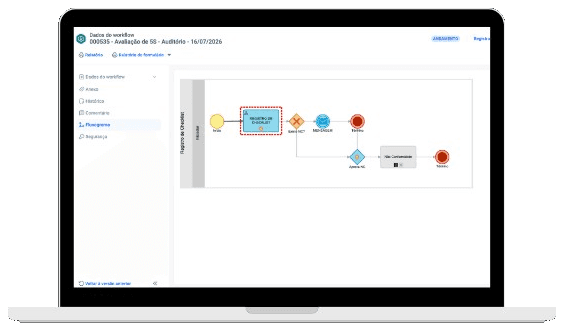
Each send opens or updates the Checklist Registration workflow, with data, history, an attached report, and email notifications.
04
The responsible team receives the demand and handles nonconformities, justifications, actions, and evidence — including NC approval when required.
Applicability
The same model connects those who record in the field with those who analyze, approve, and treat in the back office.
Equipment, assets, safety, maintenance, and operational routines.
5S, quality, standards, suppliers, and compliance checks.
Technical visits, occurrences, tickets, and field validations.
Work orders, contractor execution, and proof of delivery.
Surveys, measurements, research, and structured records.
SoftExpert flow
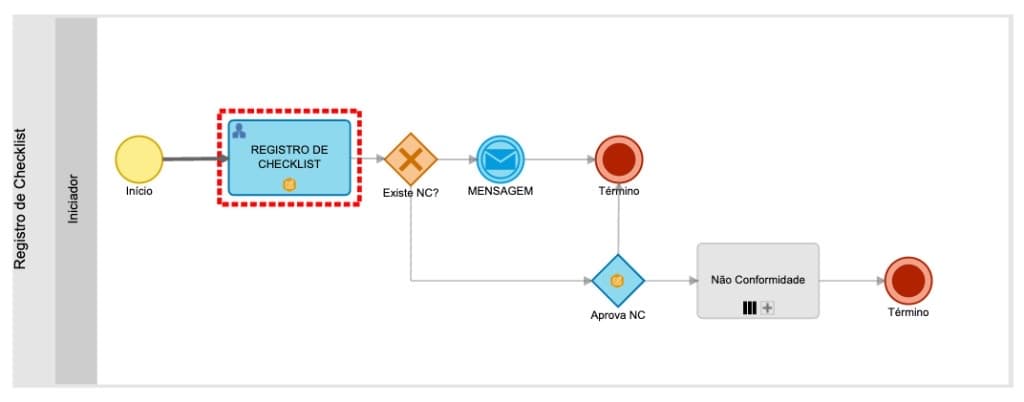
The workflow starts at registration, checks for NC, and routes to a closing message or to approval and nonconformity treatment.
Portals
Two portal axes: record monitoring with dashboards and the list of synced checklists.
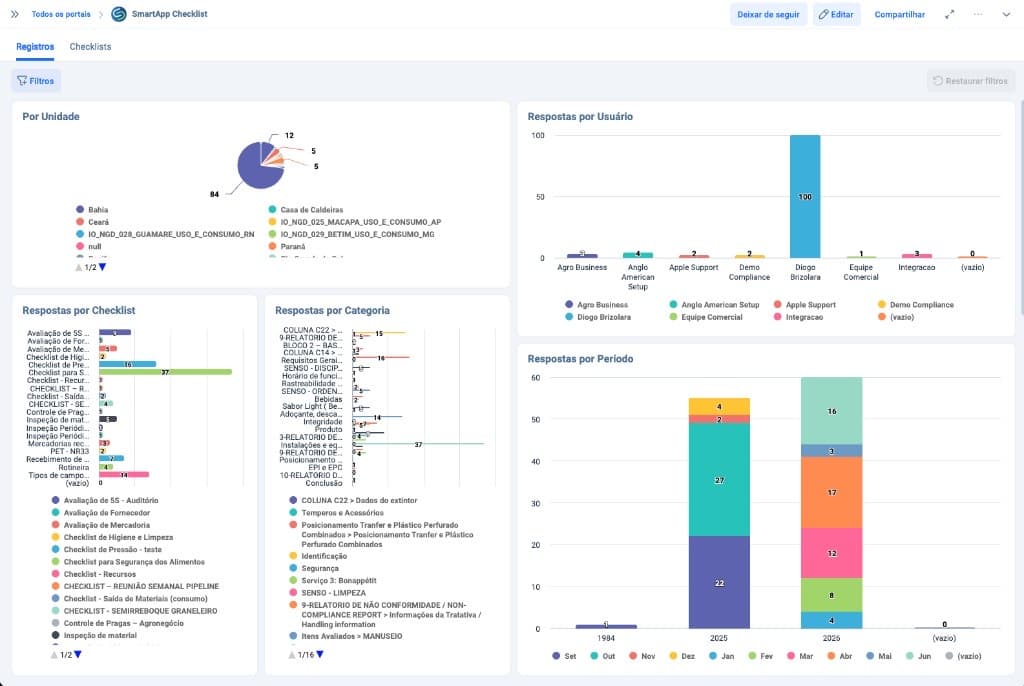
Charts by unit, user, checklist, category, and period — a management view of what was executed in the field.
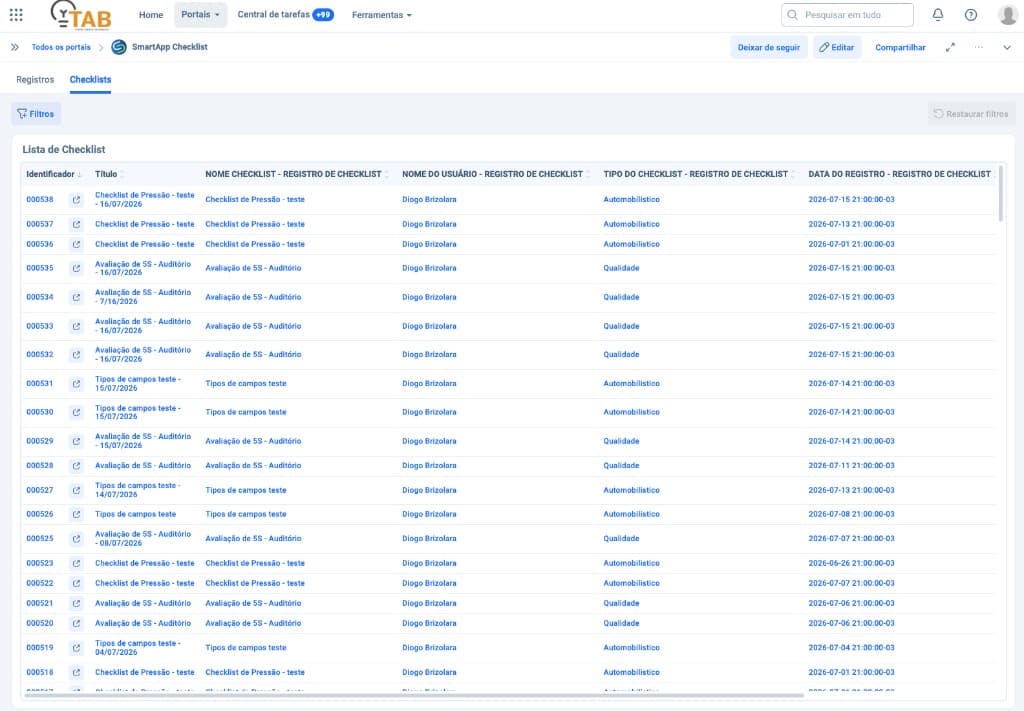
Grid with SoftExpert ID, title, type, user, and registration date — a clear bridge between app and suite.
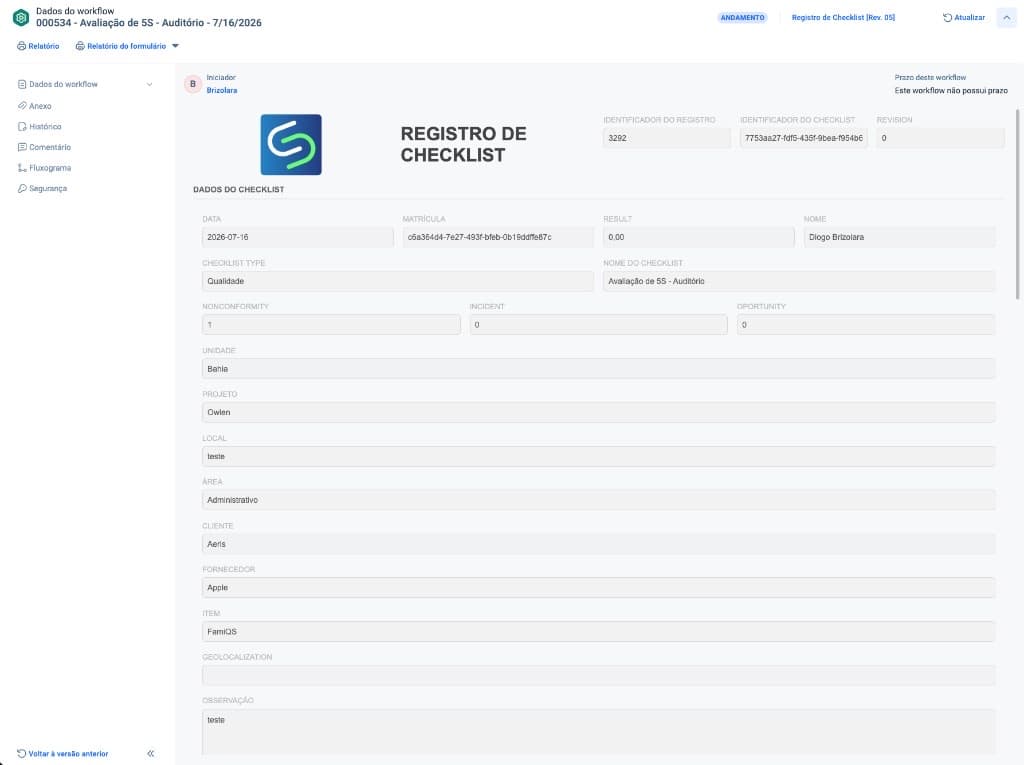
Instances
The instance brings the checklist header, KPIs (nonconformity, incident, opportunity), unit, area, customer, and other synced attributes. The final report can be received as an attachment, with involved teams notified by email.
Grids and evidence
In SoftExpert, sections appear as separate grids. Each answer can open detail, justification, action, and photographic evidence.
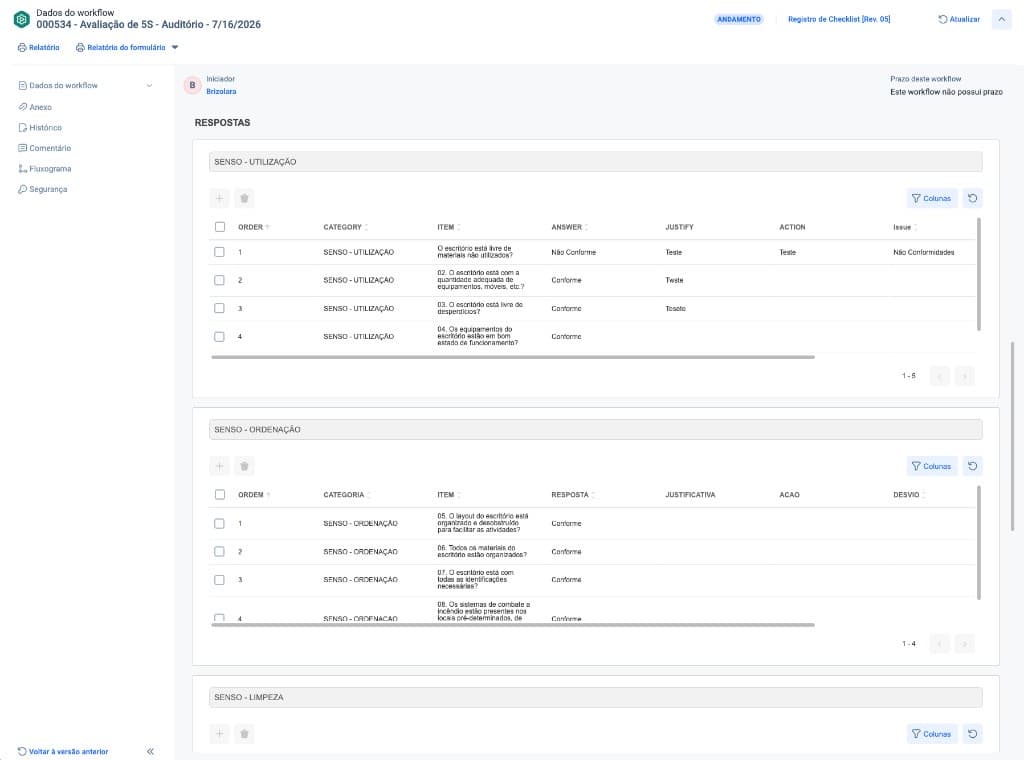
Tables by category with order, item, answer (compliant / non-compliant), justification, action, and deviation.
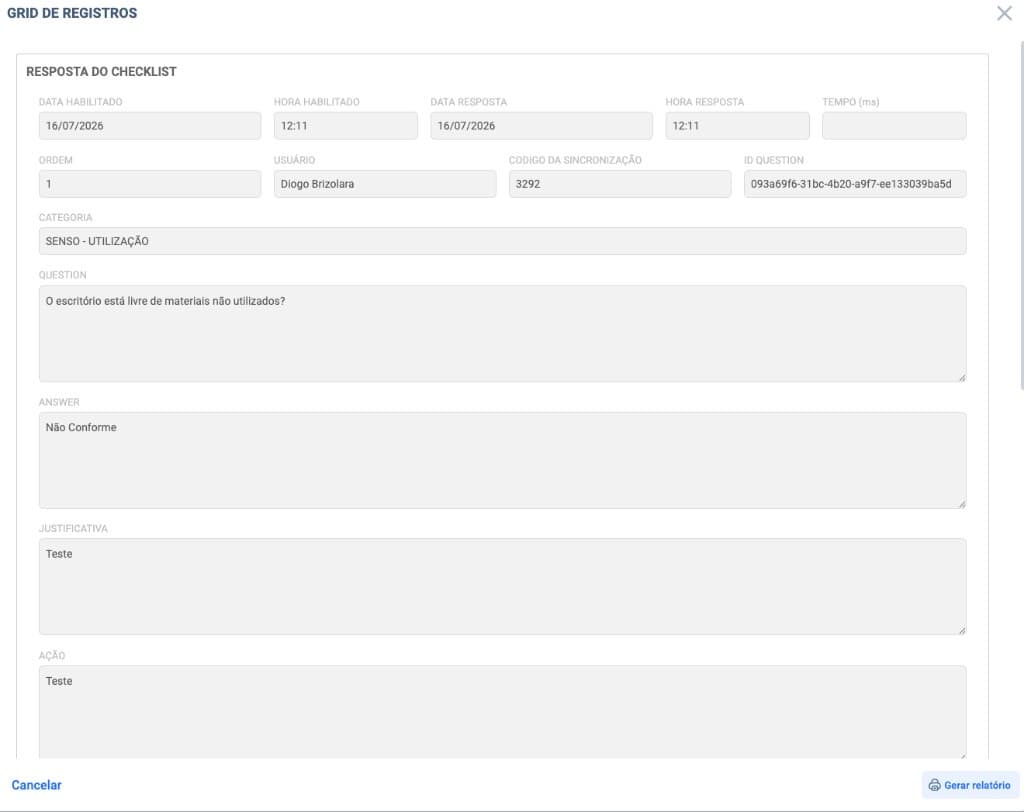
Modal with question, answer, justification, action, user, and synchronization code.
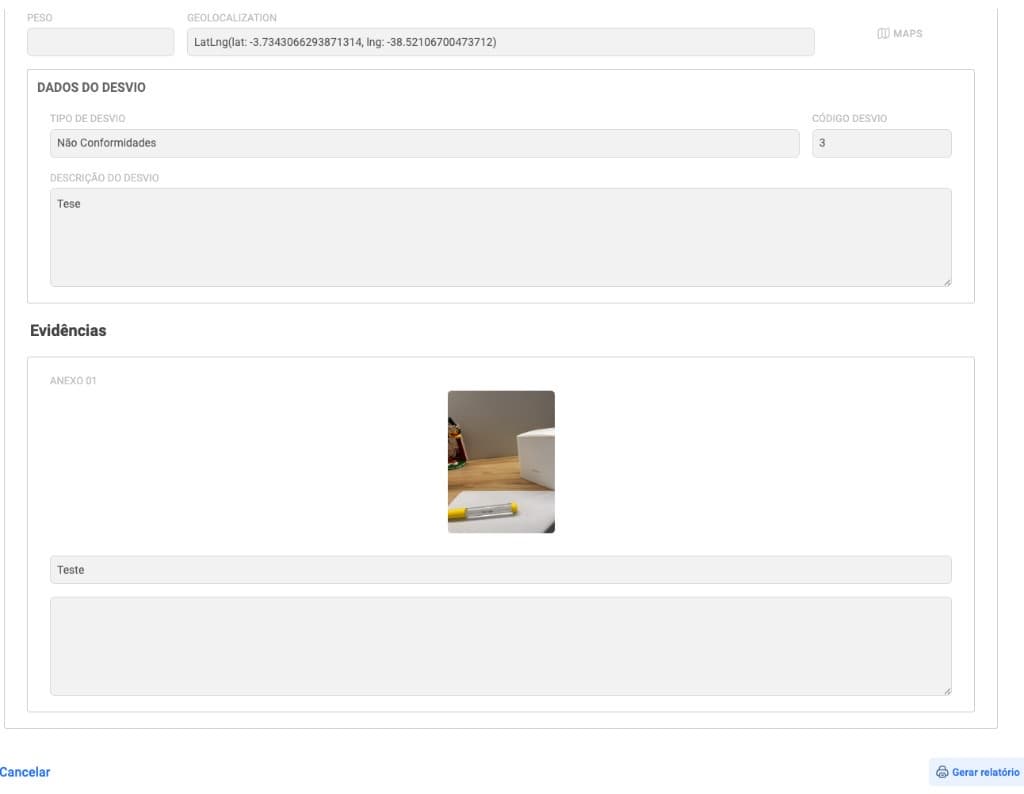
Deviation type and description, geolocation, and attachments with photo and caption — audit-ready evidence.
Attached report
Once synchronization is complete, Smart apps generates the report and sends it as an attachment to the SoftExpert instance. It brings together execution data, summary, answers, deviations, evidence, and signatures.
Smart apps · Report
Unit
Bahia
Area
Administrative
Type
Quality
User
Diogo Brizolara
Instance ID
3140
Revision
Rev. 5
22
Total answers
13
Compliant
3
Nonconformities
81%
Compliance
| Category | Answers | Compliance |
|---|---|---|
| SEIRI — Sort | 5 | 60% |
| SEITON — Set in order | 4 | 100% |
| SEIKETSU — Standardize | 4 | 75% |
| SHITSUKE — Sustain | 3 | 100% |
Is the office free of unused materials?
Compliant
Evidence attached · occurrence recorded · geolocation
Does the office have the appropriate amount of equipment?
Non-compliant
Ticket opened · justification and corrective action
The report may also include images, audio, deviations, geolocation, and signature/approval fields.
Integration history
Without exposing the technical payload: track status (waiting, processing, completed, error), filter by instance, answer, or attachment, and open the timeline with SoftExpert IDs.
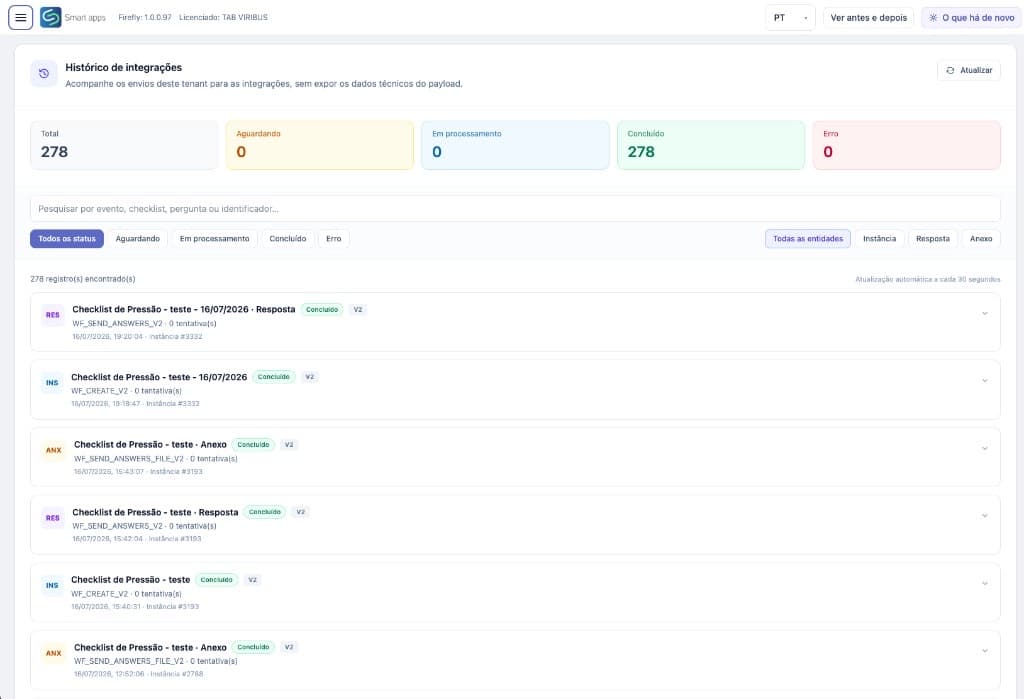
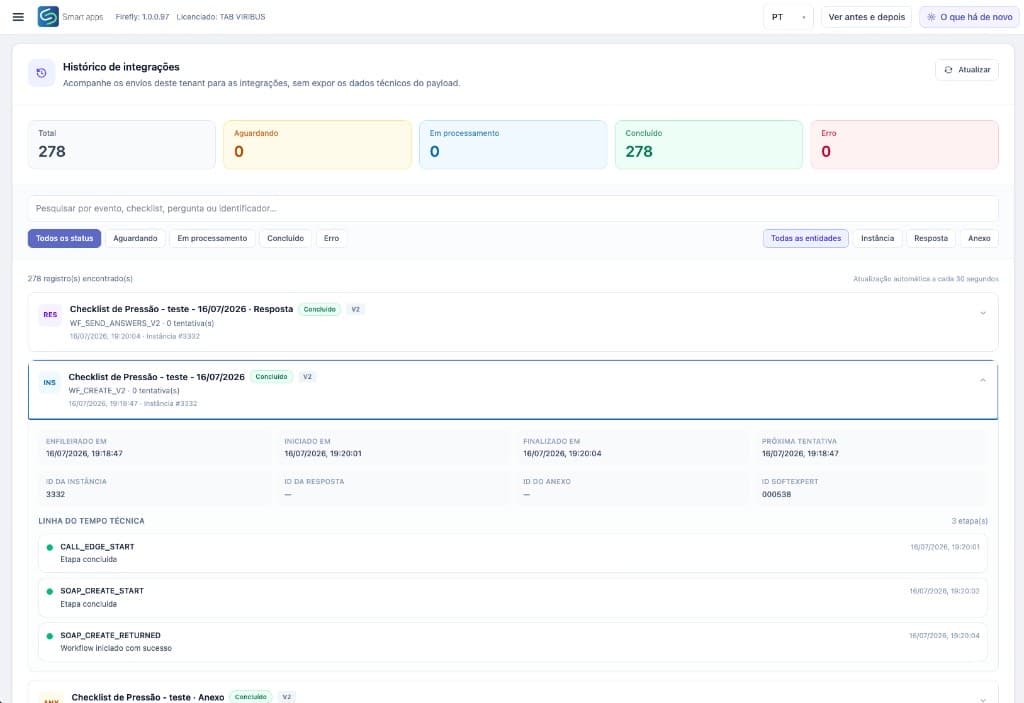
Workflow creation in SoftExpert with SoftExpert ID and SOAP timeline.
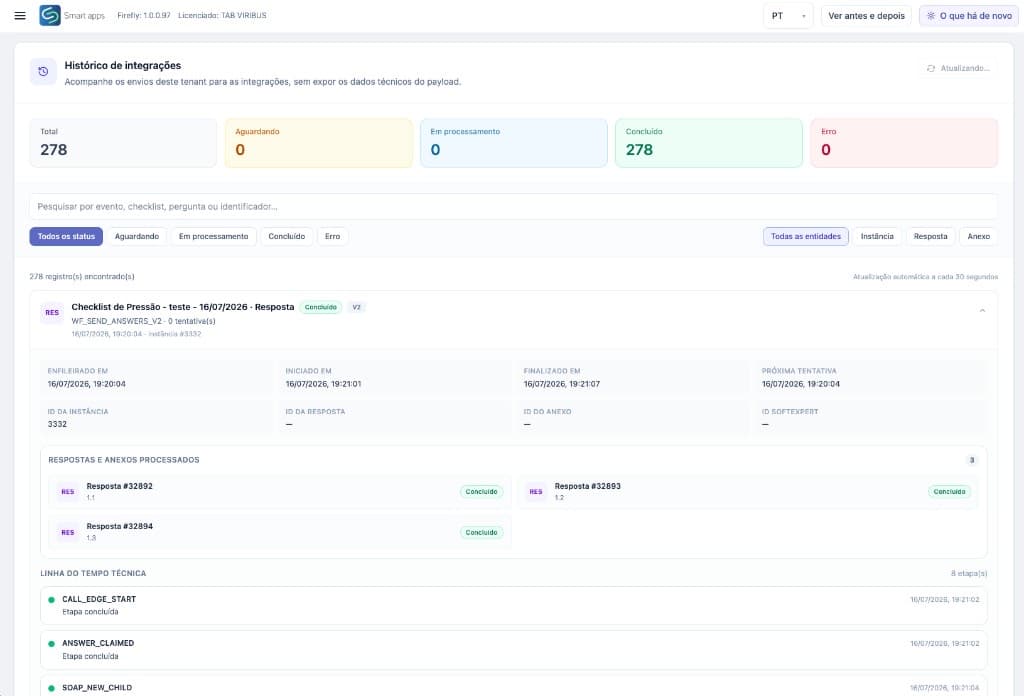
Processed answers sent item by item, with status and retries.
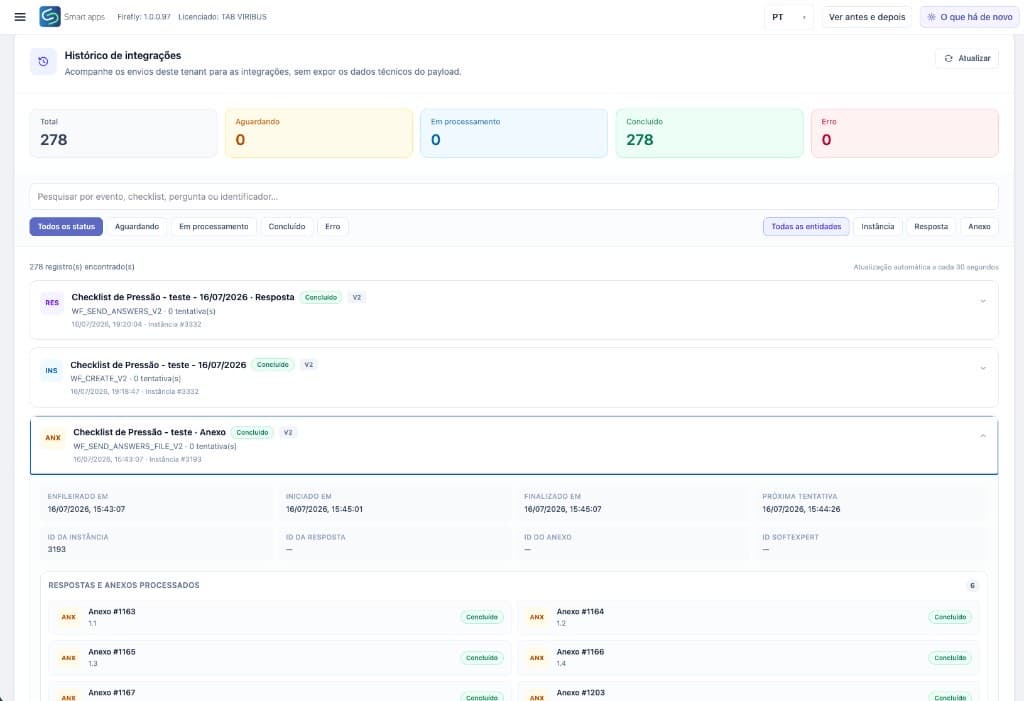
Evidence synced as attachments, linked to the instance.
Contact
We walk through Smart apps + SoftExpert with portal, grids, evidence, and history — aligned to your process.
85 4042-3967 — CE
11 3164-4675 — SP
comercial@tab.pro.br

TAB US LLC
Five Concourse Parkway, Suite 3000
Atlanta, GA