01
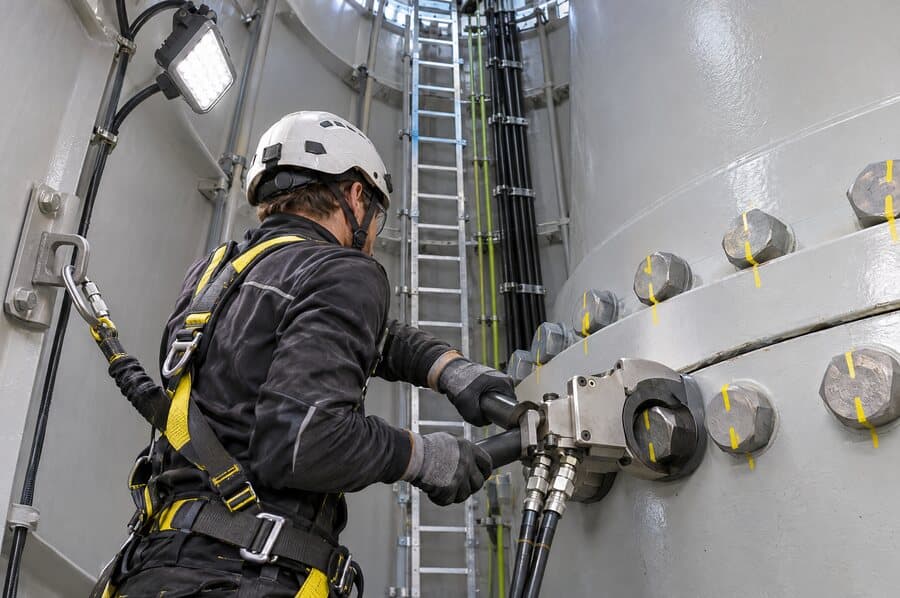
Construction and erection
- Receipt of blades, hub, nacelle and tower sections
- Electromechanical erection, level by level
- Torque of bolted joints and flanges
- Punch list and turbine commissioning


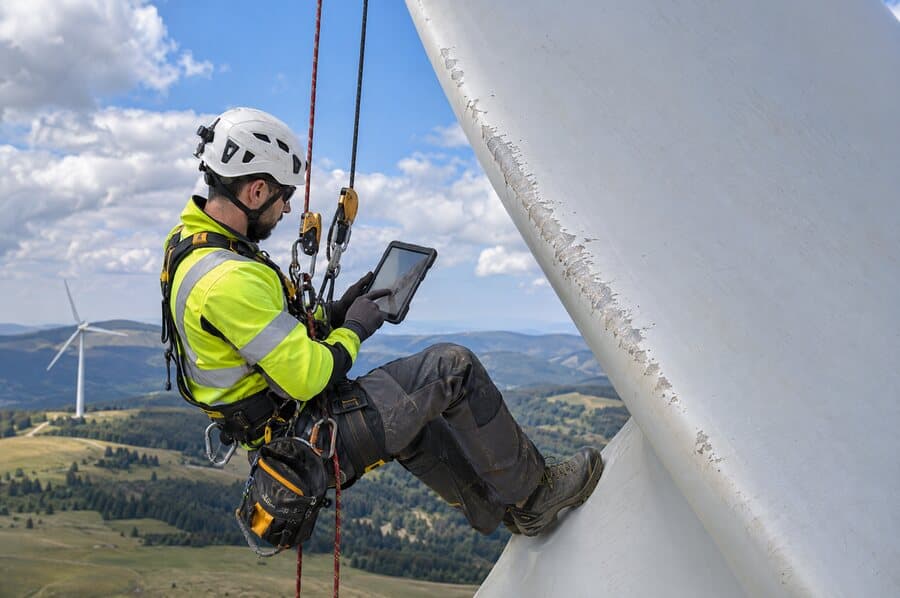
At a wind farm, every tower is a workplace tens of metres above the ground: erection has to be checked part by part, technicians only climb anchored and with rescue in place, and maintenance covers gearbox, generator, yaw and pitch on every visit. With dozens of turbines spread across the ridge, each one has to be checked with the same rigour as the first.
At a wind farm, every tower is a workplace tens of metres above the ground: erection has to be checked part by part, technicians only climb anchored and with rescue in place, and maintenance covers gearbox, generator, yaw and pitch on every visit. With dozens of turbines spread across the ridge, each one has to be checked with the same rigour as the first.
01
02
03
04
If the manufacturer or the insurer asked right now for the torque record of the last erection, how long would your team take to find it? With Smart apps, every check is recorded at the tower level where it was done, with photos, time and technician, ready to be looked up.
Nacelle tens of metres up, blades reached by rope, a met mast at the end of the track. No signal at the top: the inspection is recorded before coming down.
A bolt with no torque on record, an anchor point nobody inspected, a gearbox leak. What failed shows up later, and only the evidence shows what was done.
Erection crew, manufacturer, O&M team and blade technicians climb the same nacelle in different weeks. Each one has to leave the record where the next will find it.
The manufacturer asks for the history for the warranty, the insurer after a claim, and the labour inspectorate checks height work and rescue. Each request differs, and all of them have to come from each turbine's record.
Recording the issue is the easy part and almost everyone already does it. What fails is what comes next: who handles it, by when, with what evidence, and how anyone knows it will not come back.
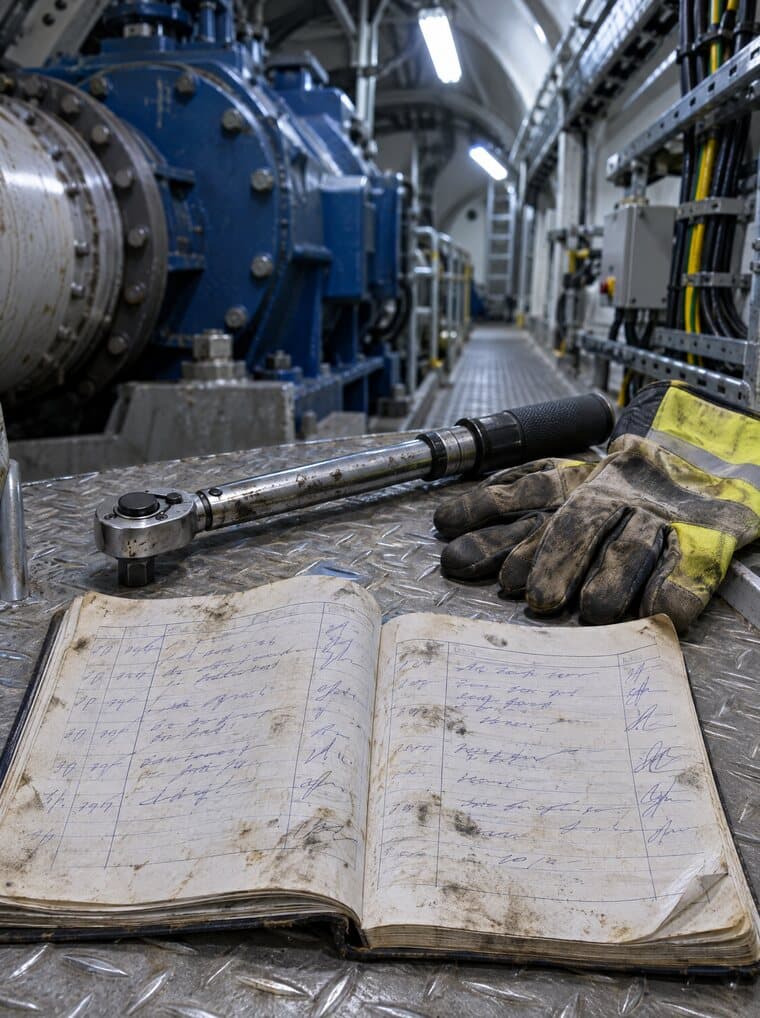
The preventive visit is noted in a grease-stained notebook inside the nacelle and typed into a spreadsheet days later. The photo of the leak stayed on the phone of whoever climbed.
The erection snag stays on the supplier's punch list or in an e-mail to the manufacturer. With no owner and no deadline, the tower goes into operation with it still open.
Chasing depends on someone remembering to go and check. Usually they remember the day the client asks.
Saying it was resolved is easy. Showing the state before, the action taken and the state after is another matter.
Without a classification or a cause, leading-edge erosion on six blades across three towers counts as six isolated cases.
Which towers have open items, for how many days and in which subsystem. The field supervisor knows, and only over the phone.
In Brazil, turbine fall protection is inspected at least every 12 months, with records kept 5 years; machine maintenance is recorded; NR-10 requires a file holding inspections; and the licence requires fauna monitoring.
It's the same sequence in all four domains, whether a safety inspection, a works audit or the periodic check of a harness.
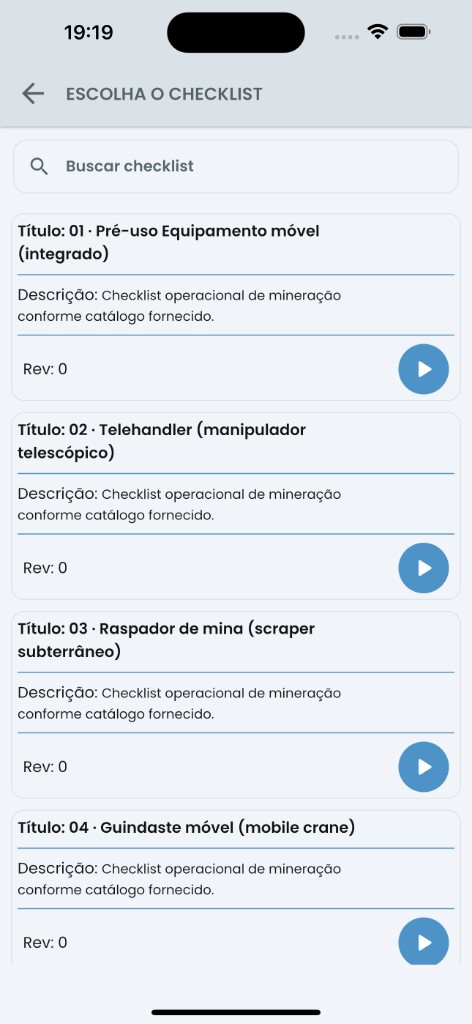
In the field, on the phone, with or without a connection. What is not captured on the spot gets rebuilt from memory, hours later, back at the office.
Photo marked up and captioned, signature identified, time and coordinates, tied to the item they evidence instead of bundled in at the end.
The nonconformity leaves the field already with type, priority, due date, owner and a 5W2H action plan.
Dashboard for management, report in your branding, and the process opened inside the management system , yours or your client's.
A work front, a network asset, equipment or PPE with its holder, a material batch. Each with its own record and accumulated history, instead of a loose document per check.
Conditionals, weights, severity, mandatory evidence, calculated items and exit rule. The same inspection gives the same result with any technician.
From finding to proven closure, with a trail of who did what and when. Where there is SoftExpert, the process opens inside it by native integration .
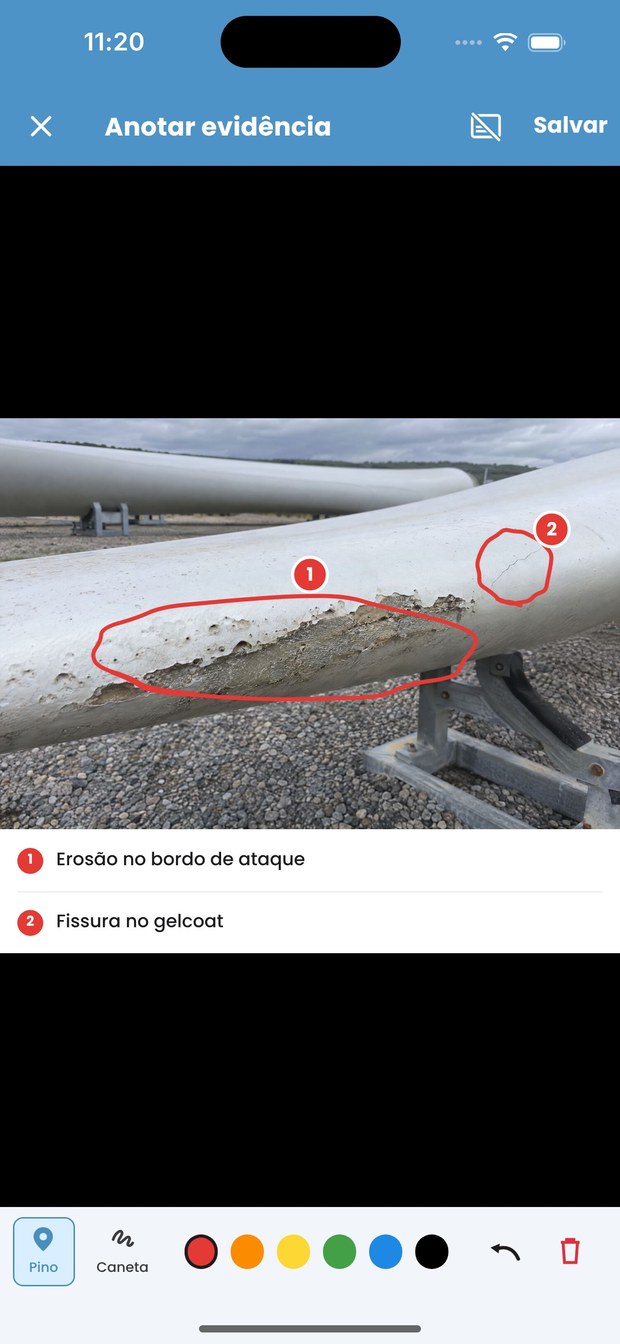
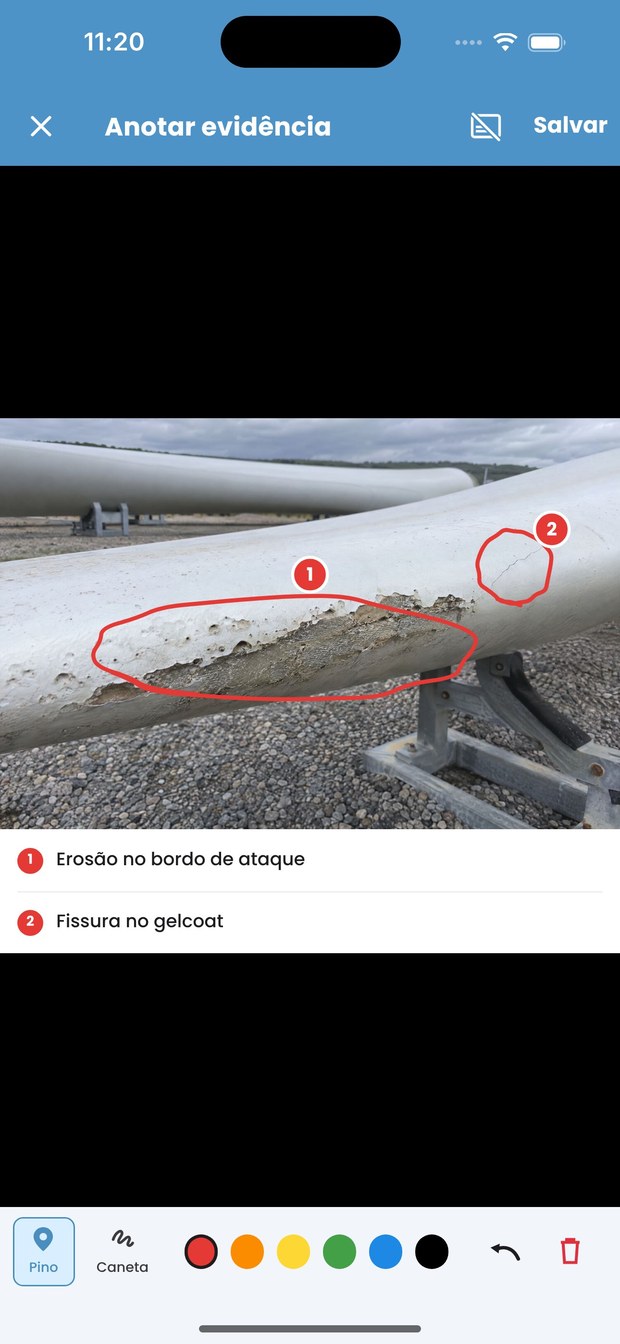
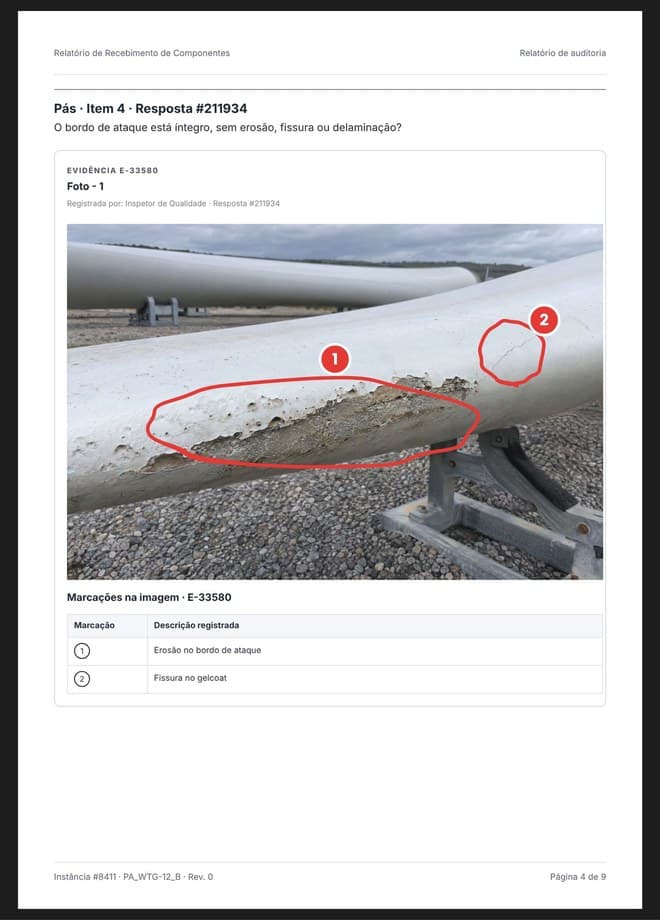
One work-site inspection produces dozens of photos. Whoever opens them a year from now has to see, unaided, what each one evidences.
Free pen in six colours over the image itself, captioned at the moment of the inspection.
What was drawn on the phone enters the document as a numbered table, tied to the evidence number and to the answer that raised it.
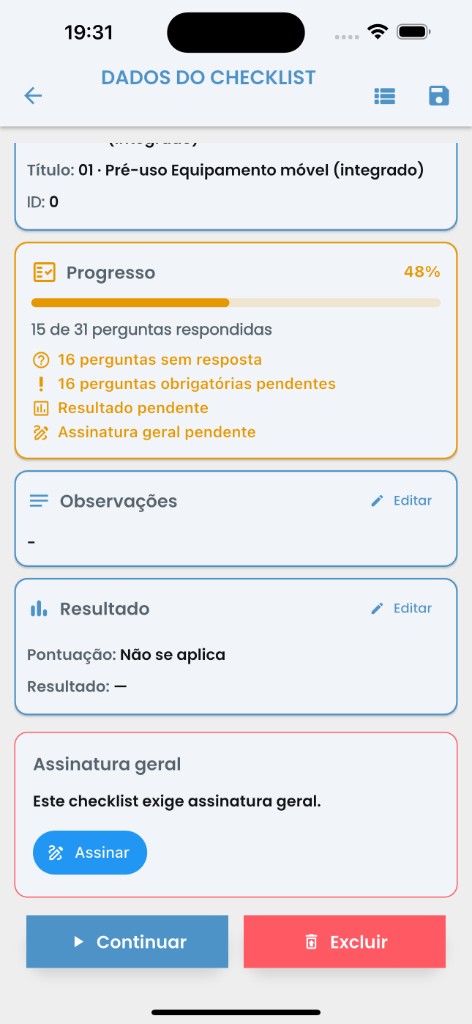
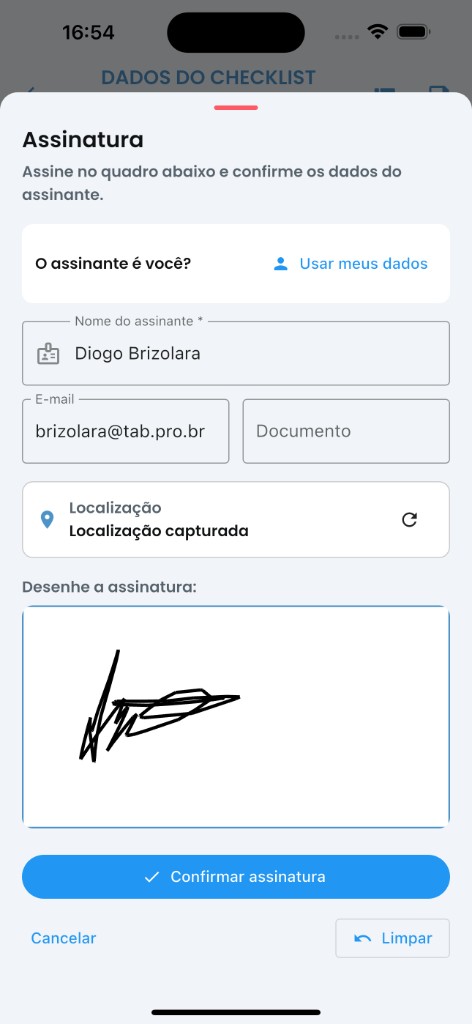
The system counts what is missing and says who has to sign. Usually two people: the inspector and whoever answered for the work front.
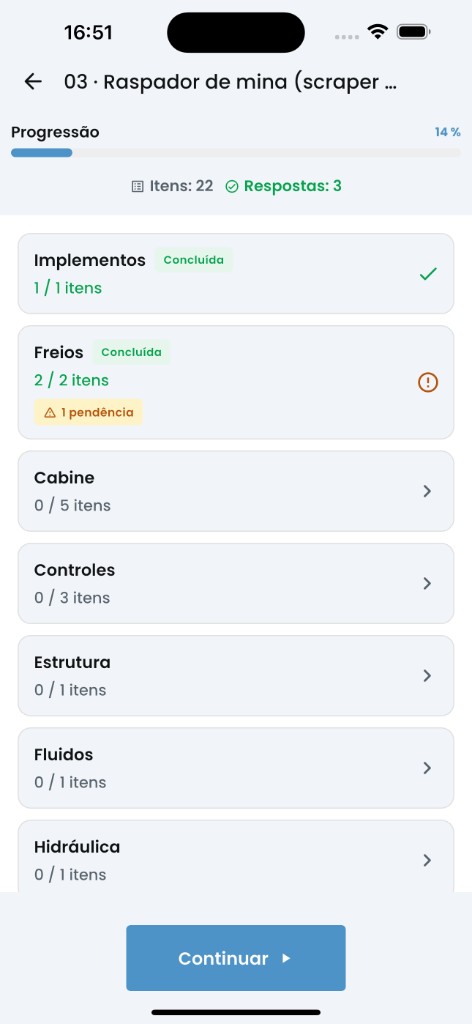
Unanswered questions, mandatory fields left blank, pending result and missing signature, counted by the system before it lets you close.
Name, e-mail, ID document and location captured at the moment of signing.
Score and rating applied by the model's rule, identical across every site and every crew.
No open items and no missing signatures. Until then the inspection stays in progress, visible to whoever ordered it.
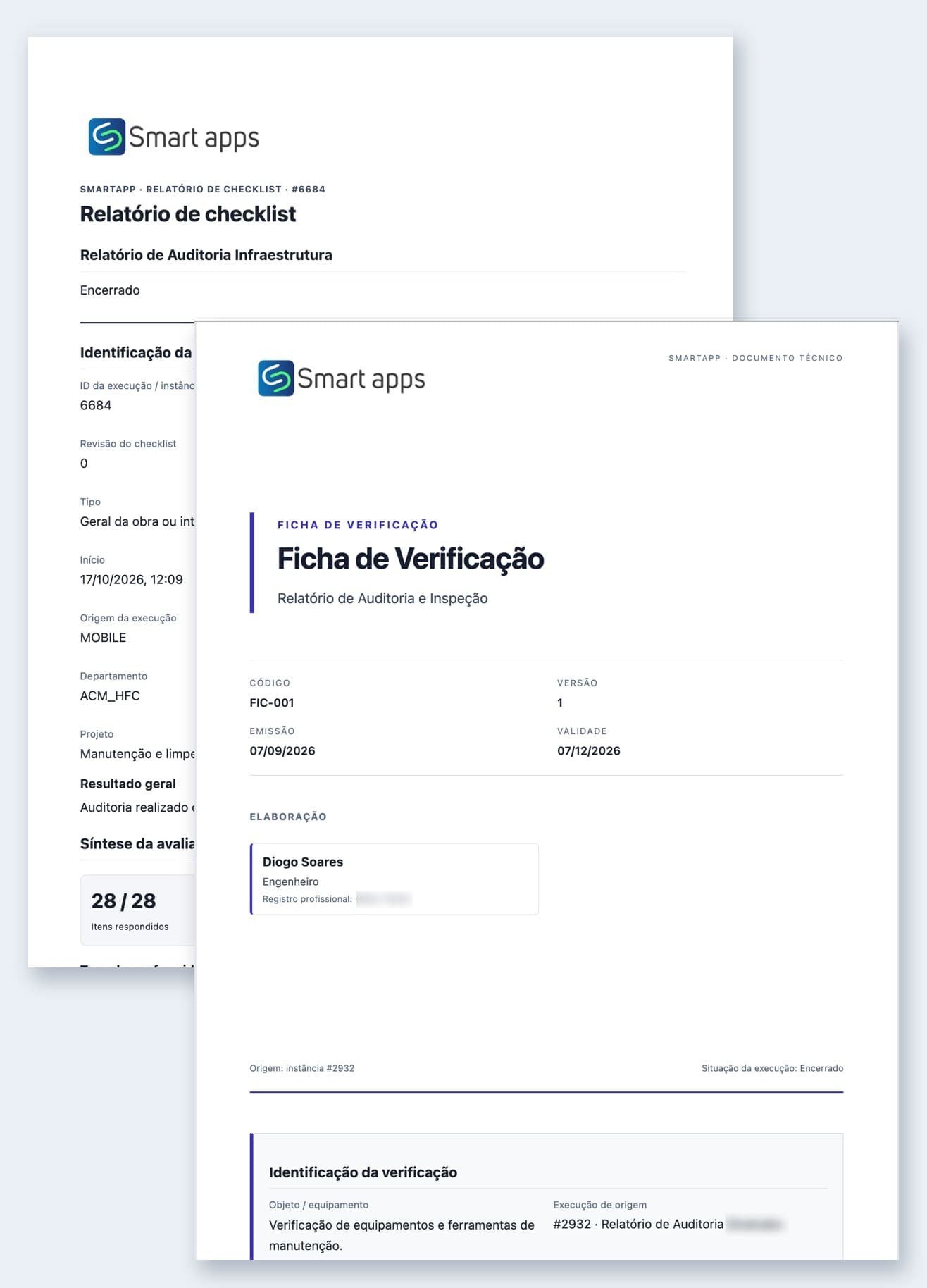
The certificate and the technical sheet come from the same checklist the team filled in on site. What was answered, photographed and signed becomes the final document, in the company template.
Each item with its answer, numbered evidence and who answered.
The conclusion and the issues go into the document, with category and description.
The inspector's signature, with date, time and location.
Certificate or technical sheet in the company template, with instance number and revision.
Nobody copies answers into a separate document. What is in the certificate is what was recorded on site.
Report, certificate and technical sheet from the same answers, each in its own template.
Instance number and revision on every page: the client always knows which certificate they received.
What today depends on the inspector's experience becomes a rule in the system, the same on every front and with any technician.
Before the first question, the inspection asks where the work is: uptower, downtower, on the blade or at the substation. Then it shows only what applies there. Questions nobody would answer disappear.
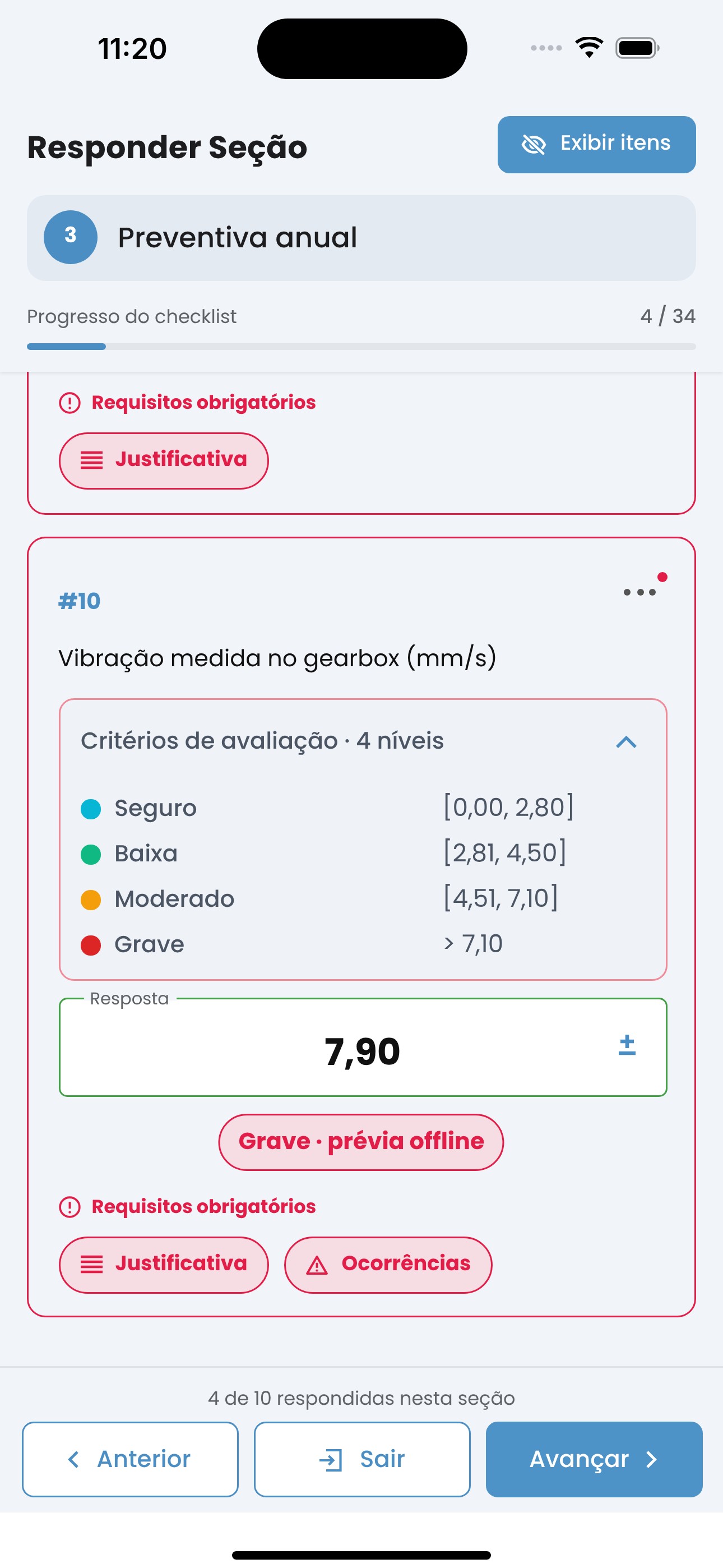
Each item is worth what it has to be worth, so the score reflects how critical the failure was rather than item count.
Formulas that combine answers and return the result on the spot, with no side maths.
Rating bands that you define, applied automatically when the inspection closes.
A single critical item, such as missing PPE, fails the whole inspection.
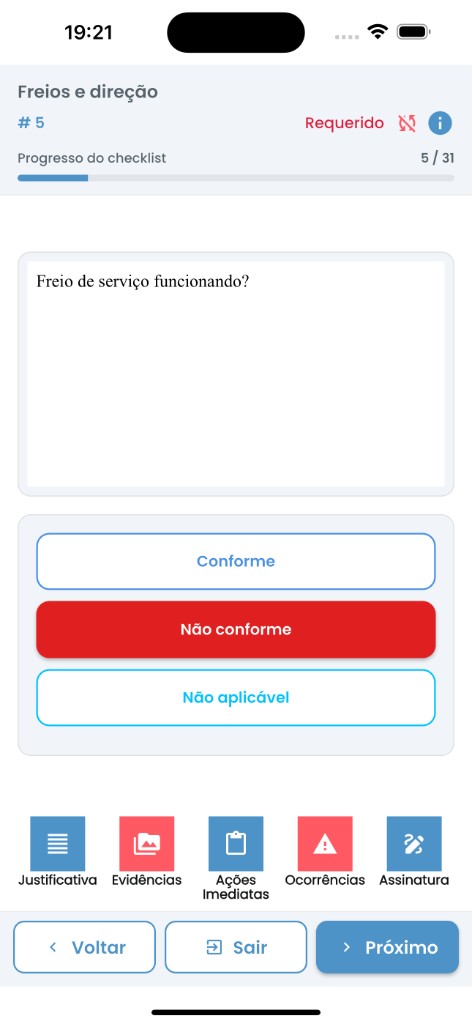
Minimum and maximum ranges, mandatory evidence and justification, checked on the device.
Finding the nonconformity is the start. What the operator charges for, and what you sell, is the record that someone closed it on time.
The noncompliant item opens the issue during the inspection, with the photo, the place and who found it.
Type, priority and due date set by the process rule, the same on any front.
Named owner, 5W2H action plan, controlled deadline and automatic chasing.
Auditable timeline: who did what, when, and with what evidence attached.
Deadlines coming due, issues with no owner and overdue actions show on the dashboard and in the alert before the client asks.
Expand your ecosystem
Native SoftExpert integration
Smart apps and SoftExpert have partnered for over twenty years. The integration is native, built by people who work on both sides, not a connector bolted on from outside.
01
Inspection or audit completed on the phone, with evidence, answers and item context.
02
SmartApp receives the closure, validates the package and prepares the integration send.
03
Async processing with status, retry and history for every submission.
04
Opens or updates the native SoftExpert process — no file export/import.
05
Deviations follow the existing nonconformity flow, with evidence and owner.
06
Management follow-up, synced checklist portal and report attached to the process.
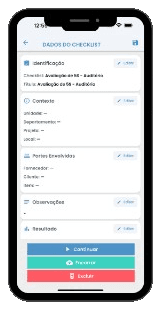
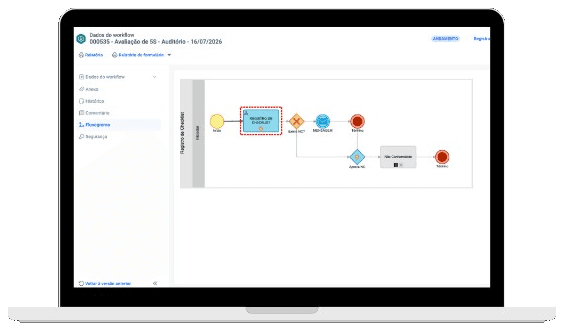
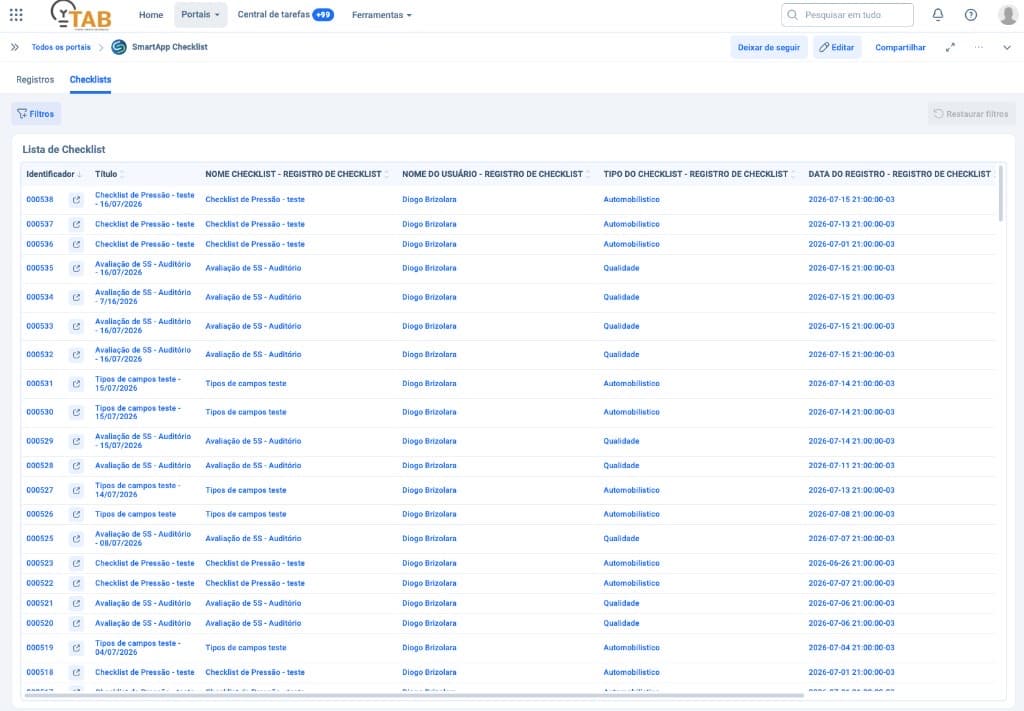
Follow-up portal, answer grids, deviation with evidence and history for every send — in SoftExpert.
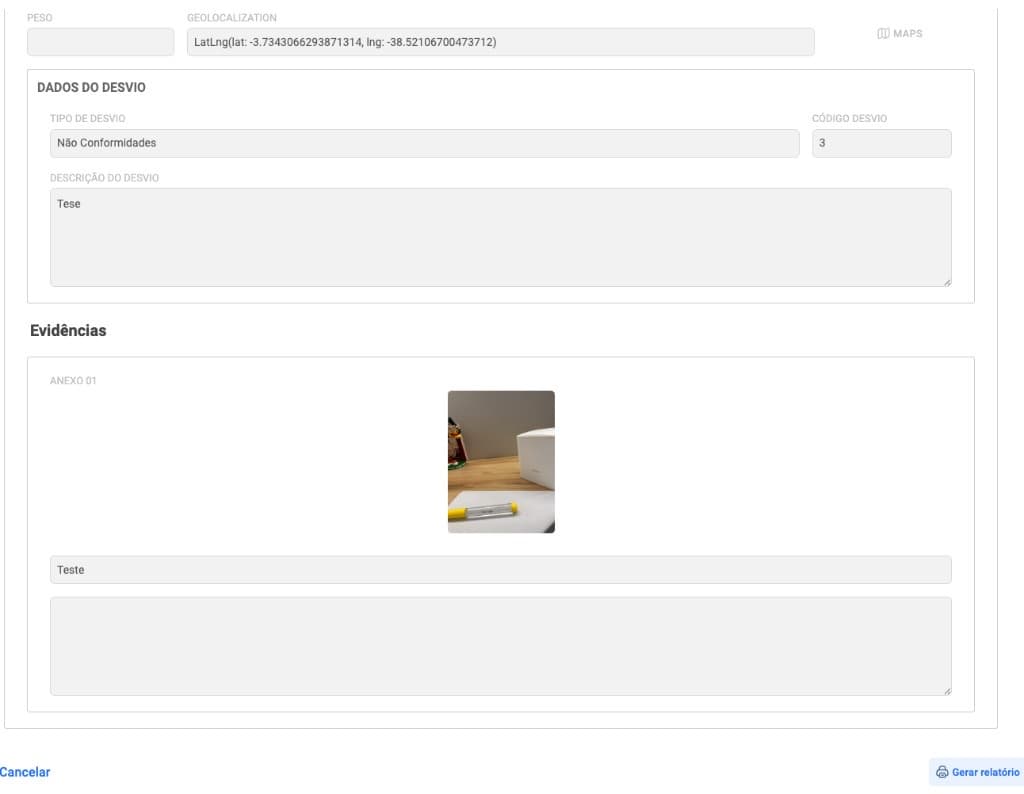
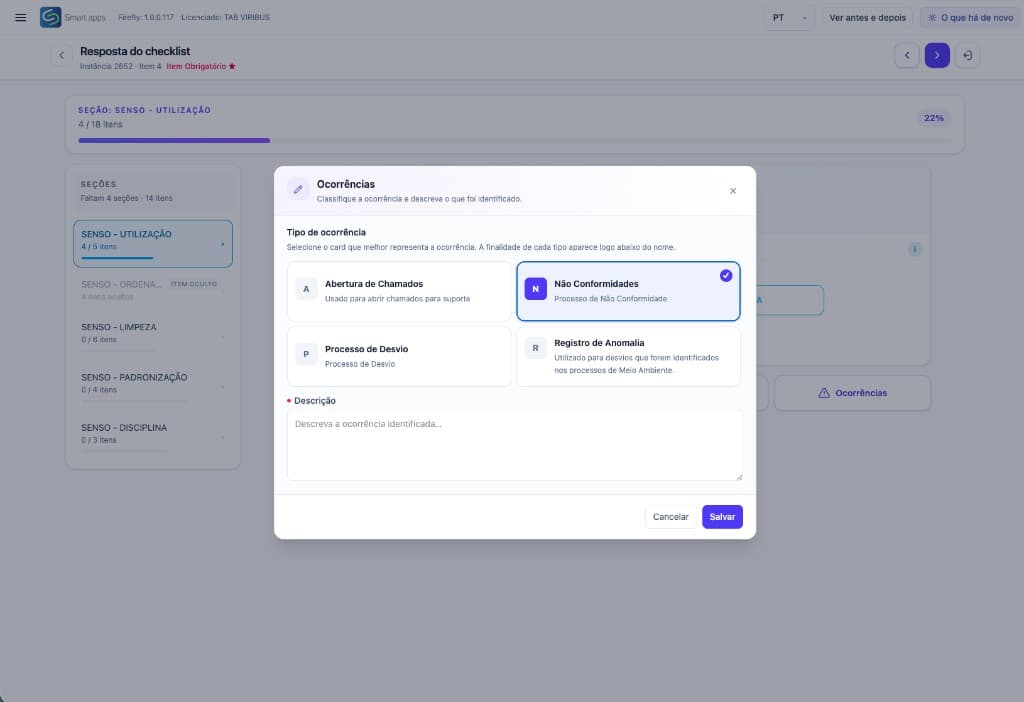
You create the occurrence types yourselves, and each one carries its own workflow. Below are four examples, not a closed list: a support ticket and an audit nonconformity are not handled the same way.
Record · Root cause · Actions · Effectiveness check
Record · Handling · Approval · Effectiveness check
Record · Analysis · Actions
Record · Handling · Closure
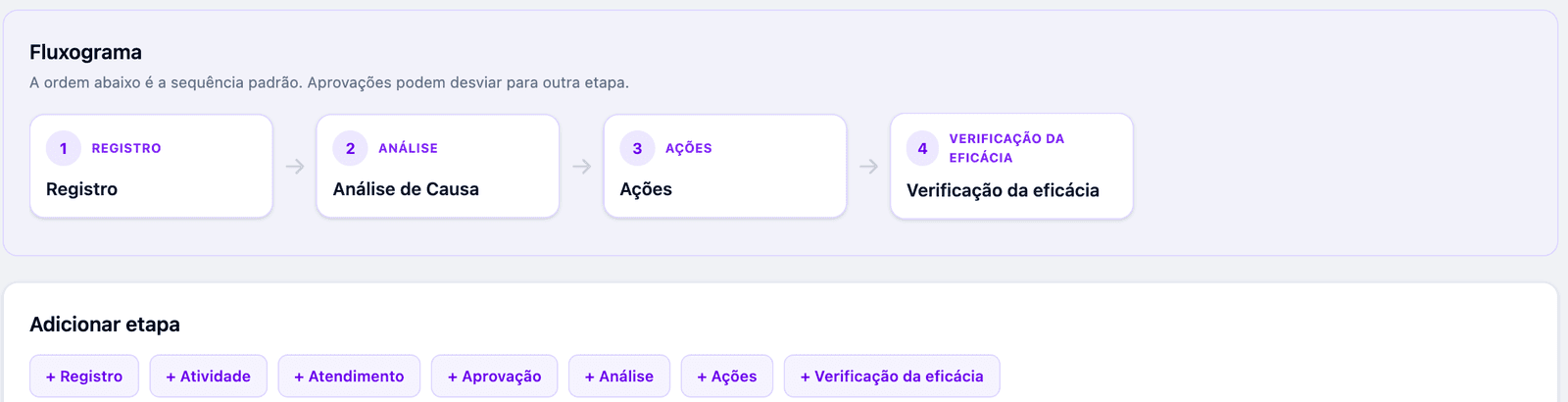
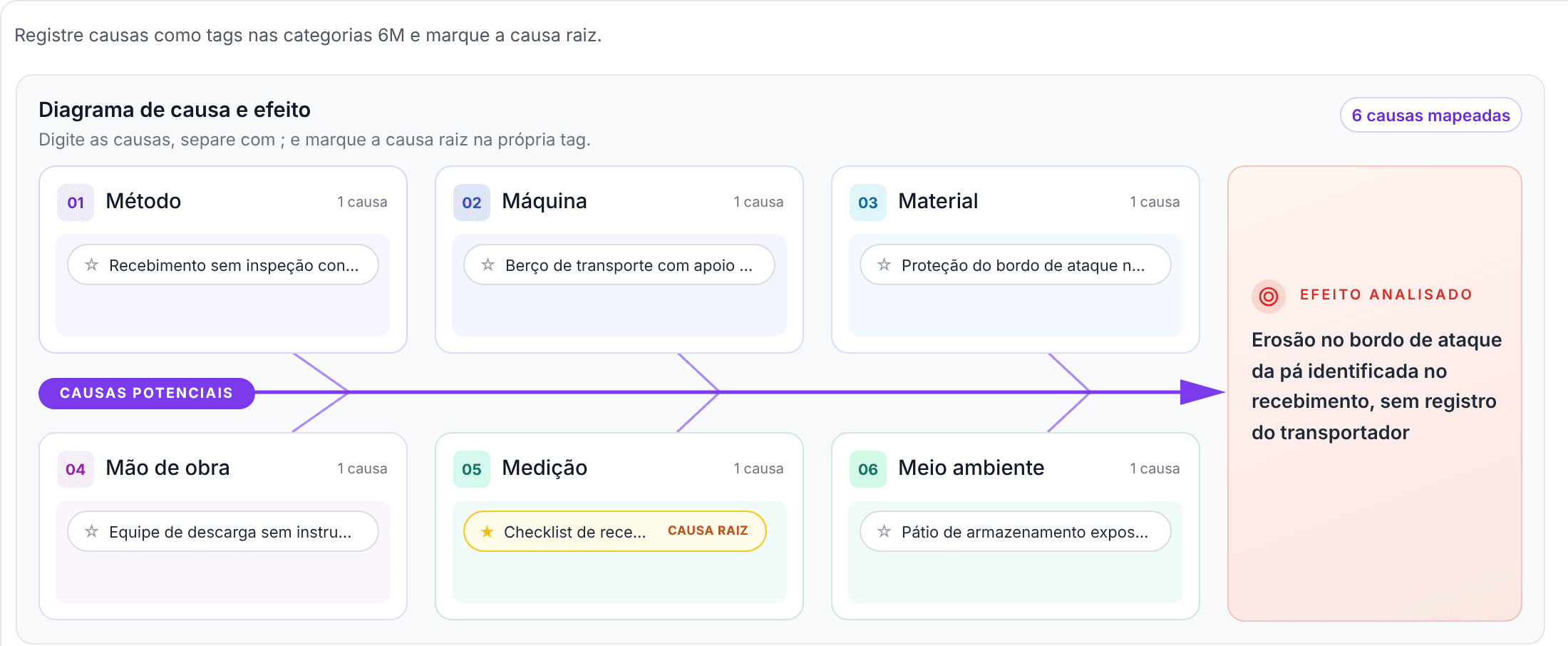
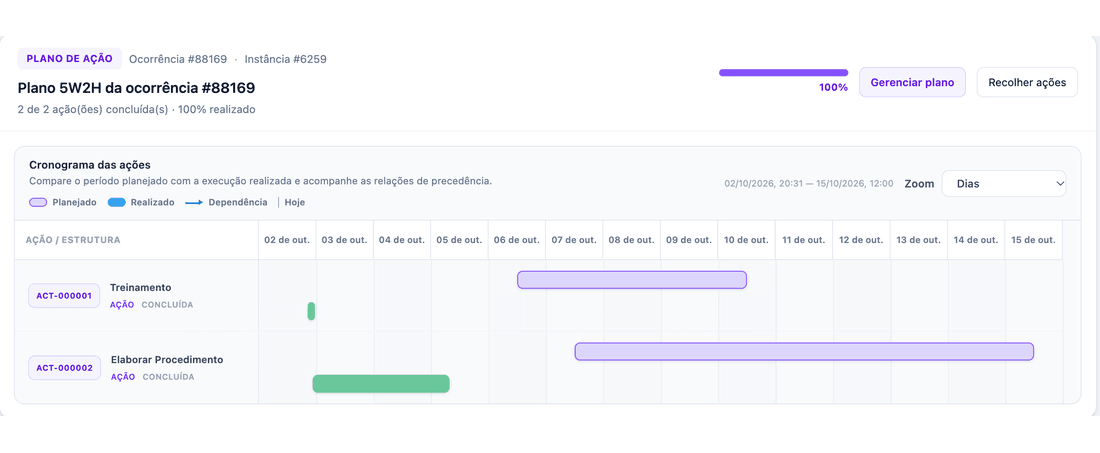
This is where a digitised inspection parts ways with a good-looking report: the finding gets a method of analysis, a plan with an owner and a deadline, and a check that confirms the result.
The same checklist produces the document each reader needs: a report for management, a certificate for the end client and the asset technical sheet for the auditor. Nobody puts anything together in a rush the day before.
Each document type has its own template: fields, order, logo and visual identity. You pick the template; nobody assembles the document by hand.
Each photo has its own number, linked to the item that required it, with who answered, date, time and coordinates.
Nonconformities listed at the end, with category and description, ready for the end client and the auditor.
Every report carries the instance number and the revision on each page. No doubt about which version the client received.
Dedicated features for every need.
01
Your own checklists
Sections, items, weights and rules from your standard
Conditional answers
The right question at the right moment
Validation rules
Limits, mandatory fields and blocking
Calculated items
Formulas solved by the system
02
Web and mobile execution
Offline by default, on iOS and Android
Complete evidence
Photo, audio, video, signature and GPS
03
Weights and scoring
The score reflects real criticality
Score evaluation
Rating bands applied automatically
Answer severity
A critical item fails the whole set
04
Configurable handling workflows
A workflow of its own for each occurrence type
Root-cause analysis tools
Ishikawa 6M, with the root cause flagged
Action plan and effectiveness
5W2H and effectiveness check with evidence
05
SoftExpert integration
Native, with governance and history
Customisable reports and inspection certificates
With issues, images and your company branding
Spreadsheet import
Initial load with no typing
Users and crews
Scope and permissions by profile
Traceability and audit
A complete trail of who did what
Contact
SmartApp for Wind
Tell us about the operation. We will follow up with the best evaluation path.